
Code Quest in BetterKids
Code Quest: a kids coding game that starts with arrow cards
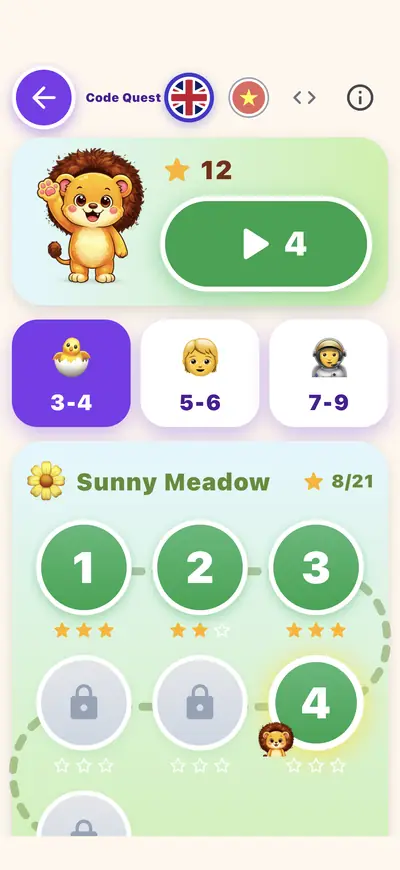
Searching for a kids coding game for 4 year olds? Code Quest has 63 short levels in 3 age groups, from arrow cards to loops, functions and decoding. A four-year-old starts in the 3-4 group. It is a game on a screen, played with big pictures and no typing.

Free to start. No ads. iPhone, iPad, Mac and the web; Android in closed beta. For parents and teachers.

What Code Quest is
Code Quest is one activity in BetterKids. It has 63 short levels for 3 age groups: arrow cards, loops, functions and decoding. Leo gives a hint only when asked, and the code view is for grown-ups behind the gate. Everything stays on the device.
What a five-minute session can look like
A suggestion for a grown-up to follow, not a programme.
- Open Code Quest and choose the 3-4 age group.
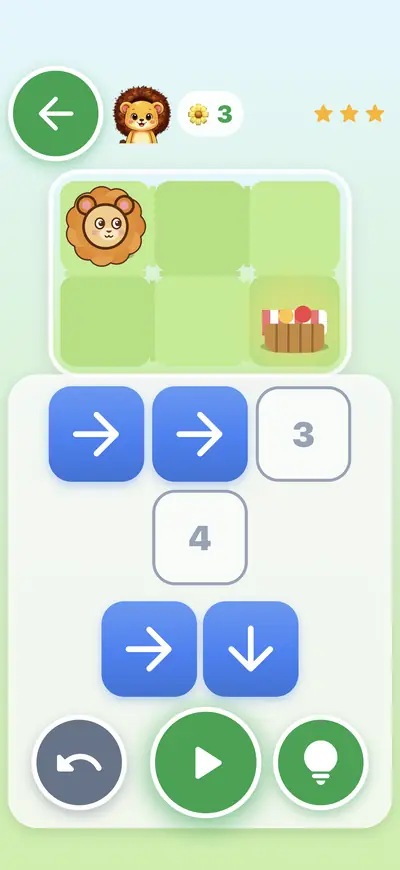
- Pick the next level on the map. Leo stands on a small grid with a goal to reach.
- Tap arrow cards into the numbered slots, then press play and watch Leo follow them.
- If it gets tricky, press the lightbulb for a hint. Ask your child to say the route out loud before placing the cards.
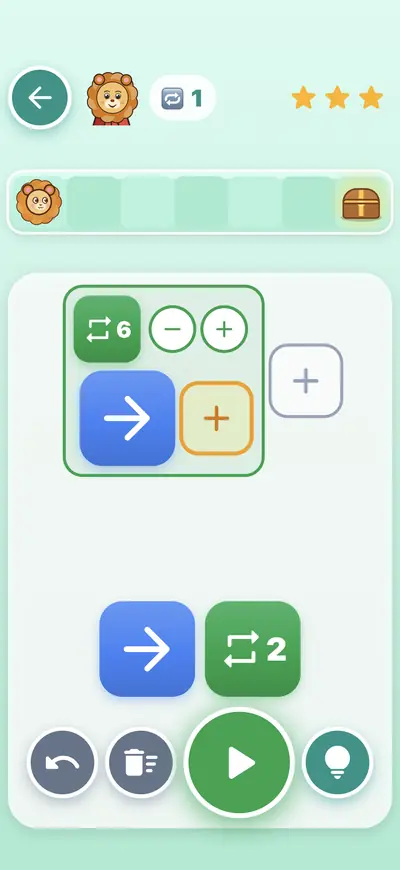
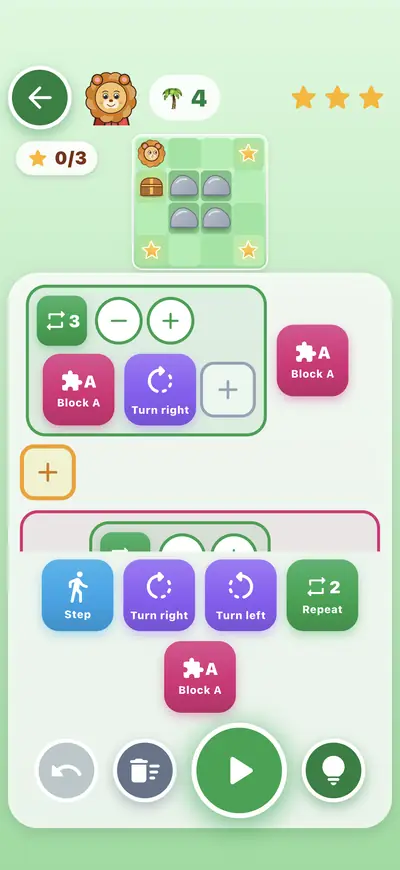
- Later levels bring a repeat card to loop a move, and a function block that holds several steps.
How the ideas grow
The same ideas appear in each age group at a different size. The youngest group works with arrow cards. Later levels bring in loops, functions and decoding, so a child can move up without switching to a different app.
Free and Premium, in words
BetterKids is free to start. A Premium subscription, monthly or yearly, unlocks the rest of the lessons, the Ocean and Polar Lands habitats and Rare Moments. The price is shown in the App Store, payment is handled by Apple, and a parental gate sits in front of every purchase.
Ads, sound and language
There are no ads. Sound effects and cheers can be switched off by parents in Settings. The app is English by default, with a flag on each animal or word card to hear and read it in Vietnamese.
How to try it
On iPhone or iPad, open the App Store listing (iOS or iPadOS 15 or later, rated 4+ in Education). You can also try BetterKids in a browser at betterkid.app/app/. Android is in a Google Play closed beta, with a direct APK download that is not on public Google Play.
Get BetterKids
Questions parents ask
Can a 4-year-old play Code Quest?
Code Quest has three age groups: 3-4, 5-6 and 7-9. A four-year-old starts in the 3-4 group, which opens with arrow cards.
Does a child need to read or type code?
No. Levels are played by placing arrow cards on a path, and the app reads aloud in English. The code view is for grown-ups and sits behind the parental gate.
Does Code Quest send anything off the device?
Everything in Code Quest stays on the device.
Is it free?
BetterKids is free to start. A Premium subscription (price shown in the App Store) unlocks the rest of the lessons. A parental gate sits in front of every purchase and there are no ads.
What if a child gets stuck?
Leo gives a hint only when asked, using the lightbulb button.